- Contents
- Index
- Search

Show results that include all search words
Processing Standing Orders
Transactions > Sales orders > Process Standing Orders
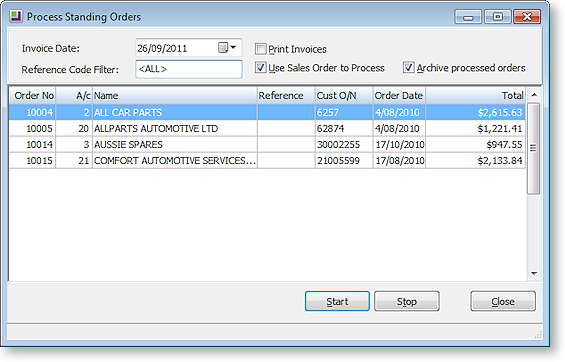
The Process Standing Order function can be added to the Transaction menu if standing orders are to be used. The window gives a list of all standing orders in the system, and controls the invoice creation function.
-
Enter the Invoice Date.
-
Select multiple standing orders by pressing the Ctrl key and clicking on the selected standing orders.
-
A Reference Code Filter can be used if needed.
-
Select the Print Invoices option if the invoices are to be printed out (as opposed to just creating the transaction).
-
Press the Start button to commence processing of standing orders.
Note: The invoice printing will follow the order of records in the Exogrid, i.e. top to bottom, so it is suggested that the Exogrid be sorted before you start printing.