- Contents
- Index
- Search

Show results that include all search words
Management Console
From the Login screen of MYOB Exo Payroll, log in to your payroll company as you would normally, then from the Pay menu select MyStaffInfo.
New Update Available
If your current version of the Management Console is out-of-date, an update window will open, prompting for the new update to be installed:
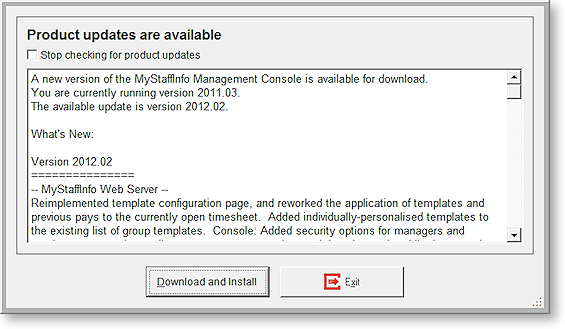
Click Download and Install to initiate the update, or click Exit to close the window without updating. This update can be implemented the next time the Management Console is opened.
To disable this automatic update notification, tick the Stop checking for product updates checkbox.
NOTE: It is not advisable to disable the automatic update function; however it can be reactivated from the Preferences window.