- Contents
- Index
- Search

Show results that include all search words
Contractors
Contractors must be made aware of hazards and potential accidents before they come on to your work site.
NOTE: Liability for Accident Compensation falls to whoever owns/rents/leases/controls the work site where the accident takes place.
In general, contractors will not be as familiar with your working environment as your own employees, therefore they are more at risk. Therefore, companies are required to have a clear-cut Contractor Management Plan. MYOB Exo Health and Safety lets you create and print out Health and Safety contracts specific to each contractor working in your environment.
Contractor Management
Select Contractors > Contractor Management from the Documents menu. A list of contractors appears. Click Add to create a new contractor, or highlight an existing contractor record and click Select to edit it.
Contractors are added and edited on the Contractor Maintenance window. Information is spread across the following tabs:
- Headers & Footers
- Hazard Link
- Considerations
- Notes
Once all details are entered, click the  button to
preview and print the Health and Safety Contract report for this contractor.
button to
preview and print the Health and Safety Contract report for this contractor.
Headers & Footers
This tab specifies the text that appears in the main header and footer of the Health and Safety Contract report.
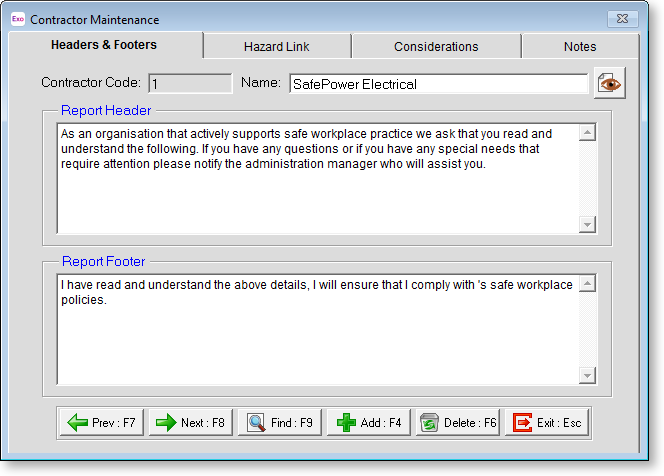
Contractor Enter a unique numerical identification code for the contractor.
Name Enter the name of the contractor/contracting firm.
Report Header Enter the text of the report header. This should establish the purpose of the Health and Safety contract.
Report Footer Enter the text of the report footer, which should consist of an agreement clause for the contractor to sign.
Hazard Link
After the main header, the Health and Safety Contract report describes the hazards that the contractor may be exposed to. This tab lets you specify the hazards that will be listed on the report.
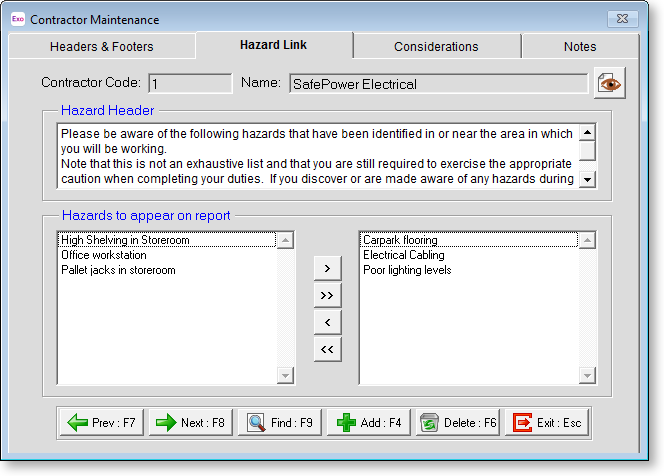
Hazard Header Enter text to appear on the header of the hazards section of the Health and Safety Contract report.
Hazards to appear on report Specify the hazards that the contractor may be exposed to. All hazards are listed on the left; all hazards that will appear on the Health and Safety Contract report are listed on the right. You can click on hazards and drag them from one list to the other.
> Moves the selected hazard to the list on the right.
>> Moves all hazard to the list on the right.
< Moves the selected hazard from the list on the right back to the main list.
<< Moves all hazards from the list on the right back to the main list.
Considerations
After listing hazards, the Health and Safety Contract report then lists any other considerations that the contractor must be aware of. These can be workplace procedures or practices that the contractor needs to know about.
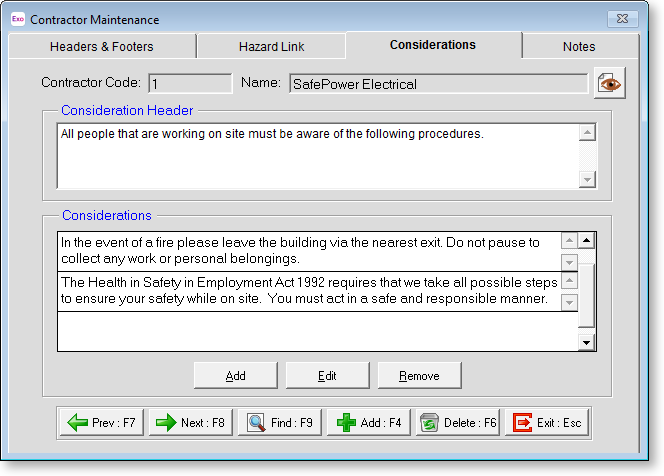
Consideration Header Enter text to appear on the header of the considerations section of the Health and Safety Contract report.
Considerations All considerations that apply to the contractor are listed here. Click the Add button to assign a consideration to a contractor. You are presented with a list of available considerations. Choose a consideration from the list and click the Select button. The chosen consideration is added to the list of considerations for this contractor.
NOTE: If there are no more available considerations (i.e. all considerations have already been added to the contractor) clicking Add opens the Contractor Consideration window (see below), allowing you to create a new consideration.
Considerations are created and edited independently of the Contractor Maintenance window. Selecting Contractors > Contractor Considerations from the Documents menu opens a list of considerations. Click Add to create a new consideration or highlight an existing consideration and click Select to edit it. Considerations are added and edited on the Contractor Consideration screen.
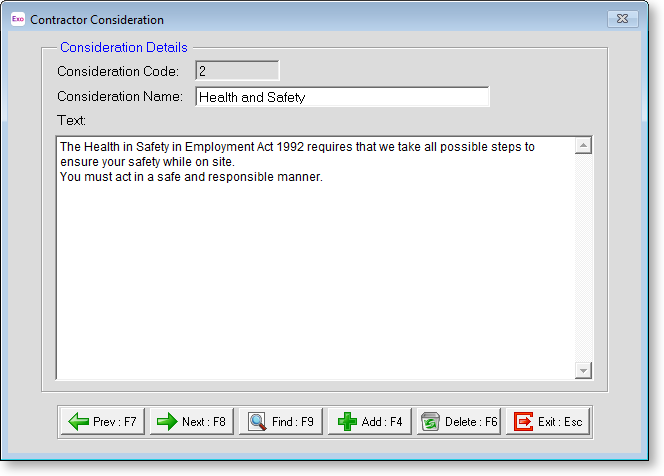
Consideration Code Enter a unique numerical identification code for the consideration.
Consideration Name Enter a name for the consideration.
Text Enter text explaining the consideration. This text will appear on the Health and Safety Contract report when this consideration is added to a contractor.
Notes
This tab stores notes and reminders for actions required on behalf of contractors.
Notes do not appear on the Health and Safety Contract report - they are for your reference only.